

ONLINE NOTARIZATIONS ARE LEGAL AND ACCEPTED IN ALL 50 STATES

By appointment only. Login to schedule an appointment

Virtual Notary Service in Fairmont

Notarize Your Document in Fairmont

Looking Glass Runners provides a convenient online notary service for Fairmont residents who need fast, secure remote online notarization. Our platform connects you with a commissioned notary over live video so you can complete acknowledgments or jurats without leaving home. A standard session often takes under 30 minutes once your ID is verified. We focus on speed, convenience, and clear steps so you can upload, verify identity, connect on video, and download your tamper-evident e-sealed document. Acceptance by third parties can vary, so we encourage confirming document eligibility with the receiving party in advance.

Remote online notarization is designed to save time for people in Fairmont and across the state by eliminating travel, parking, and appointment headaches. Sessions are available at flexible hours to accommodate weekday evenings and weekend needs. When you choose an online notary session, you get a secure ID check during the live video meeting, a recorded audit trail, and an e-seal or e-notarization attached to your document that makes it easier to share digitally. Some sensitive documents or specific recipients may have rules about online notarizations, so checking requirements beforehand helps avoid delays or additional steps.

Comparing Notary Options

Choosing between in-person, mobile, and online notarization depends on document type, timing, and recipient needs. In-person notarization is the traditional choice for documents requiring original wet-ink signatures or when a recipient explicitly requests a physical notarization. Mobile notaries bring in-person service to your location at an extra travel cost. Remote online notarization offers convenience and speed for many common documents by using live video and digital seals, but some documents or recipients may not accept electronic notarizations. Review the receiving party’s requirements to decide which option fits your situation.

Understanding Remote Online Notarization

Remote online notarization uses secure video conferencing and digital tools to let commissioned notaries perform notarizations when signers are in different locations. You upload your document, verify your identity using acceptable ID, connect with the notary on a live video call, and sign as directed. The notary confirms your identity, witnesses your signature or administers an oath for a jurat, and applies an electronic notarial certificate and tamper-evident e-seal. A recorded audit trail documents the session. This process is commonly recognized for many transactions, though acceptance rules can vary by the document recipient or state.
The remote process is built to mirror in-person notarial acts with added digital safeguards like multi-factor ID verification and secure recording. After the session, you typically receive an immediate download of the e-notarized file so you can share it electronically or print a copy for records. Some documents, original-only records, or certain state-specific forms may not be eligible, so checking with the entity that will use the document helps ensure smooth processing. The flexibility of online notarization often makes it a practical option for busy individuals, out-of-state signers, or people who prefer to avoid travel.

What Remote Notarization Means

Remote online notarization means a commissioned notary performs a notarial act while the signer is remote, connected by live audio-video technology. The notary verifies identity, witnesses the signing or administers an oath, and attaches a notarial certificate plus a tamper-evident e-seal to the electronic document. The session is recorded and a secure audit trail is produced, which can help recipients confirm the notarial process. This differs from a hand-signed scan where a document is signed on paper and then scanned; e-notarized documents include an electronic record and digital controls that support authenticity and integrity.

Key Elements of an Online Notarization

Benefits of Remote Online Notarization

Remote notarization brings key benefits such as convenience, reduced travel, and faster turnaround for many common documents. By connecting with a commissioned notary over live video, Fairmont residents can complete acknowledgments or jurats from home, at work, or while traveling. ID verification and an electronic notarial certificate provide added security compared with simple scanned signatures, and the session’s audit trail supports transparency. For many routine transactions, online notarization shortens the time from signing to delivery, letting you move forward more quickly with your transaction.
Security features like live ID checks and a tamper-evident e-seal help reduce the risk of fraud and protect the integrity of the notarized document. Online notarization sessions are recorded and include details about the verification steps taken. This documentation can be useful when a recipient wants to confirm the notarial process. While many recipients accept e-notarized documents, acceptance varies, and specific document eligibility depends on the recipient and applicable state rules, so checking in advance is recommended to avoid surprises.

Fast Sessions, Often Under 30 Minutes

Secure ID Verification and E-Seal

Security in remote notarization typically includes verifying a government-issued ID on camera, using additional credential checks, and recording the session to create an audit trail. After witnessing the signing or administering an oath, the commissioned notary applies an electronic notarial certificate and a tamper-evident e-seal to the document. These measures help recipients assess the document’s authenticity and protect against unauthorized edits. Acceptance policies vary, so it’s wise to confirm that the receiving party will accept an e-sealed document before your session.

When In-Person Notarization Is Needed

When Wet-Ink Originals Are Required

Some transactions and recipients insist on wet-ink signatures on original paper documents, which means an in-person notary or a mobile notary who travels to you is necessary. Real estate closings, probate filings, or certain institutional forms sometimes require original signatures and physical notarization because the receiving entity needs to handle, file, or retain originals. If your document stipulates a requirement for a paper original or your county recorder or other agency specifically requests wet-ink notarization, plan for an in-person appointment to meet those rules and avoid processing delays with the receiving office.

State or Document Exclusions

Some documents and certain state rules exclude remote online notarization, so an in-person notarization is required in those cases. Examples can include court filings, certain court-ordered documents, or documents governed by jurisdictions that do not allow RON for that document type. Acceptance by banks, title companies, or government agencies can vary, and recipient policies may differ even within the same state. Confirming with the entity that will accept the document is the best way to know whether online notarization will be honored for your specific case.

When Remote Notarization Is a Good Choice

Fast Service and Flexible Hours

Remote notarization is often preferred when speed and flexibility matter, such as last-minute signings, coordinating multiple parties in different locations, or needing a session outside normal business hours. Fairmont residents can avoid travel and choose appointment times that fit evenings or weekends, saving time and hassle. The live video process usually completes in a single session once identity is verified, and the e-notarized file is available for immediate download. Because acceptance rules vary, confirming the recipient’s policies beforehand helps ensure the online session meets their needs.

Immediate Download and Audit Trail

After a remote notary session, you typically receive the e-notarized document immediately, which makes it easier to transmit by email or to upload to a recipient’s portal without delay. The session’s audit trail records details like the identity verification steps, the date and time of the notarization, and the video record, providing a clear record of the notarization. This combination of immediate access and thorough documentation can speed processing with recipients who accept electronic notarizations, though it is always wise to confirm acceptance rules ahead of time.

online notary service

Practice Areas

Top Searched Keywords

Why Choose Online Notarization

Online notarization offers practical benefits like saving travel time, faster turnaround, and flexible scheduling for busy people in Fairmont and across the state. The process typically includes secure identity verification and an audit trail that documents the session. If you need a quick acknowledgment or jurat without leaving your home or office, remote notarization can be a good choice. Always confirm that the receiving party accepts e-notarized documents, and check whether your document requires a wet-ink original or additional steps to be considered valid by the recipient.

For signers coordinating with people in other locations, handling time-sensitive paperwork, or seeking after-hours availability, an online session can reduce logistical challenges. The immediate availability of the e-notarized file allows faster submission to banks, employers, or other parties that accept electronic documents. Security features like live ID checks and tamper-evident e-seals help maintain document integrity. If you have doubts about specific document rules, contacting the recipient or the agency that will process the document before your session avoids potential rejection or extra steps.

Common Situations for Remote Notarization

People commonly use remote online notarization when they cannot physically reach a notary during business hours, when parties are in different cities, or when they need a quick turnaround on time-sensitive documents. Busy families, remote workers, out-of-state signers, and those coordinating closings or business transactions often find RON practical. It is also helpful for last-minute signings that would otherwise require rescheduling. Always check that the receiving organization accepts electronic notarizations and confirm whether your document requires a jurat or acknowledgment to prepare properly for the session.

Real Estate and Closing Documents

Many real estate-related documents are handled by title companies that have specific policies about online notarizations, so some closings or deeds may require a wet-ink signature or additional verification. Remote notarization can speed parts of the process when the title company accepts e-notarized documents or uses RON-friendly workflows. For multi-party transactions and out-of-state signers, RON can minimize delays. Because real estate rules vary by county and recipient, check with your title company or closing agent to confirm if an online notarization will be accepted for your specific documents.

Business and Corporate Documents

Business filings, contracts, and corporate documents are often notarized, and remote online notarization can simplify getting signatures from principals in different places. Many businesses appreciate the ability to share an e-notarized document immediately after the session, reducing turnaround time. Some corporate registries or banks may have particular requirements, so verifying acceptance of e-seals or RON is a helpful step. For contracts that require a jurat or acknowledgment, discuss the document’s needs with the receiving party so you choose the correct notarial act during your session.

Estate and Personal Planning Forms

Estate planning documents, powers of attorney, and beneficiary forms sometimes need notarization and may be eligible for remote notarization depending on the recipient’s rules and the state’s laws. A jurat is required when the document needs an oath, while an acknowledgment confirms a signature. Because rules for these sensitive documents can vary, check whether the receiving institution or filing office accepts a remote notarization. When accepted, RON can make it easier to update documents quickly and coordinate with family members who are not local.

Frequently Asked Questions About RON

What do I need to start an online notary session?

To start an online notary session you will typically need a camera-equipped device such as a smartphone, tablet, or laptop, a stable internet connection, and a government-issued photo ID like a driver’s license, state ID, or U.S. passport. You should have the document ready in the required file format for upload and ensure you are in a quiet, well-lit space for the live video meeting. Some platforms may require creating an account and completing pre-session identity steps like knowledge-based verification, so allow extra time if those measures apply. It is helpful to check whether your document requires an acknowledgment or a jurat so the notary can follow the correct procedure during your session. If any witnesses are required by the document, arrange for them to join the live session if the platform supports witness presence. Confirm with the receiving party that they accept remote notarization and an e-sealed document to avoid needing an in-person notarization later.

Most routine online notary sessions take between a few minutes and around thirty minutes once your identity is verified and your document is uploaded. The live video call itself often lasts only as long as the notary needs to confirm identity, witness the signing or administer an oath, and complete the notarial certificate. If identity verification requires additional credential checks or if the document is complex, the session can take longer, so plan accordingly and allow for scheduling buffer time. After the notary finishes, the e-notarized document is commonly available for immediate download, which can further speed your transaction. If technical issues arise or verification steps take longer, the session may be extended or rescheduled. Having your ID and document prepared and a stable internet connection helps keep sessions efficient and timely.

Accepted IDs often include a current state driver’s license, state identification card, or U.S. passport, and some platforms may accept other government-issued photo IDs from U.S. territories. The notary will examine the ID on camera and may use additional credential analysis services or knowledge-based authentication to confirm identity. Make sure your ID is not expired if the platform requires current identification, and provide the best available government-issued photo ID to help the verification process go smoothly. Because verification requirements can vary by platform and recipient, check any instructions provided when booking your session. If you have multiple forms of ID, keeping them handy during the call can help resolve any questions the notary may have. Remember that accepted ID lists are not exhaustive; if you are unsure whether your ID qualifies, contact the service in advance to confirm.

Remote online notarizations are legally recognized in many U.S. jurisdictions and are commonly accepted by banks, title companies, and other organizations that accept electronic notarizations. The notary completes a process similar to in-person notarization by verifying identity, witnessing signatures or administering oaths, and applying an electronic notarial certificate and tamper-evident e-seal. The session’s recorded audit trail serves as documentation of the notarial acts performed, which many recipients find useful when reviewing the document. However, legal recognition and acceptance vary by state and by the receiving party, and certain documents or transactions may be excluded from remote notarization. It is important to confirm with the recipient or relevant agency whether they will accept an e-notarized document in your particular case. If a recipient requires a wet-ink original or an in-person notarization, plan for that option instead.

An acknowledgment is a notarial act where the signer confirms they signed a document willingly and for the purposes stated. The notary verifies identity and records that the signer acknowledged the signature. No oath is administered for an acknowledgment. In a remote session the notary will ask you to affirm on camera that you voluntarily signed the document and will apply the appropriate electronic certificate indicating an acknowledgment. A jurat differs because it involves an oath or affirmation about the truthfulness of the document’s contents. For a jurat, the signer must swear or affirm on camera that the statements in the document are true and then sign in view of the notary. The notary completes an electronic jurat certificate after administering the oath and witnessing the signature. Check your document to determine whether it requires an acknowledgment or a jurat so you and the notary use the right procedure.

Remote notarization can be used for many real estate documents when the title company, lender, or county recorder accepts e-notarized files and e-seals. In those cases, RON can streamline closings and help parties sign from different locations without the need for travel. Some title companies and lenders have embraced remote notarization workflows and can process e-notarized documents efficiently. Always confirm with your closing agent or title company whether they accept remote notarizations and whether any additional steps, such as wet-ink originals or local notarizations, are required. Be aware that some jurisdictions or specific real estate documents may still require wet-ink signatures or have other restrictions that prevent the use of remote notarization. If you are working on a closing, check with all parties involved early in the process to ensure the chosen notarization method will be accepted and to avoid delays in the transaction timeline.

After the session, the commissioned notary applies the electronic notarial certificate and a tamper-evident e-seal to your document, and you typically receive the completed e-notarized file for immediate download. The platform also retains an audit trail that records the verification steps, time stamps, and other session details. This documentation can be helpful if a recipient requests proof of the notarial process or if questions arise about the signing. Store a copy of the e-notarized document for your records and share it with the receiving party as instructed. If the recipient requires additional formatting, original paperwork, or an apostille for international use, follow their directions promptly. If any issues occur with file delivery or acceptance, contact the notary service to review the audit trail and resolve discrepancies.

Some documents require witnesses in addition to notarization, and some remote notarization platforms support witnesses joining the live video session. If your document specifies witness requirements, arrange for the required number of witnesses to be present and prepared to verify identity and observe the signing during the session. The notary will instruct both the signer and witnesses on what to do and will include witness details in the audit trail and notarial certificate as needed. If witnesses cannot join remotely or the platform does not support witnesses, you may need to choose an in-person or mobile notary to meet the document’s rules. Always confirm witness rules in advance and communicate with the notary service so they can plan the session correctly and ensure compliance with the document’s requirements.

If the receiving party does not accept e-notarized documents, you may need to arrange an in-person or mobile notary to provide a wet-ink notarization that meets their requirements. Before initiating a remote session, check with the recipient to confirm whether a remote online notarization will be accepted. If acceptance is unclear, ask for written guidance or the specific policy so you can choose the appropriate notarization method and avoid delays or the need to re-notarize later. When a recipient declines electronic notarization, gathering information about their specific requirements will help you select a suitable alternative. In many cases, a mobile notary can meet you at a convenient location, or you can schedule an in-person appointment during normal business hours to obtain the wet-ink notarization required by the receiving entity.

Remote online notarization uses multiple security layers such as live video identity checks, credential analysis, recorded sessions, and tamper-evident e-seals to preserve document integrity and reduce fraud risk. The commissioned notary verifies the signer’s identity on camera and applies an electronic notarial certificate that ties the notary’s commission to the notarized document. The recorded audit trail stores details of the session, which can help resolve questions about the notarization process and supports transparency for recipients who accept RON. While these measures significantly enhance security compared with a simple scanned signature, acceptance policies vary by recipient and some documents or jurisdictions may not accept electronic notarizations. Confirm recipient requirements before your session and follow the platform’s identity verification instructions closely to ensure the strongest possible protection for your notarized document.

Nationwide • Online Notary

Online Notary in Minutes

Upload your document, verify your ID, and meet a commissioned notary on live video. Download your notarized file right away.

5–15 min
Typical session time
$15–$20
Per stamp • see pricing
50 States
Out‑of‑state notarizations accepted

Why Choose Looking Glass Runners

Fast, affordable, and flexible—built for modern life. We accept all file types and support both eSign and hand-signed scans.

Speed

Most notarizations complete in 5–15 minutes.

Availability

On‑demand, after‑hours, and weekends.

Affordability

Transparent pricing from $15 per stamp.

Nationwide

States recognize and accept out‑of‑state notarizations.

Security

Live video identity checks + tamper‑evident e‑seal.

Convenience

No travel or printing required—eSign supported.

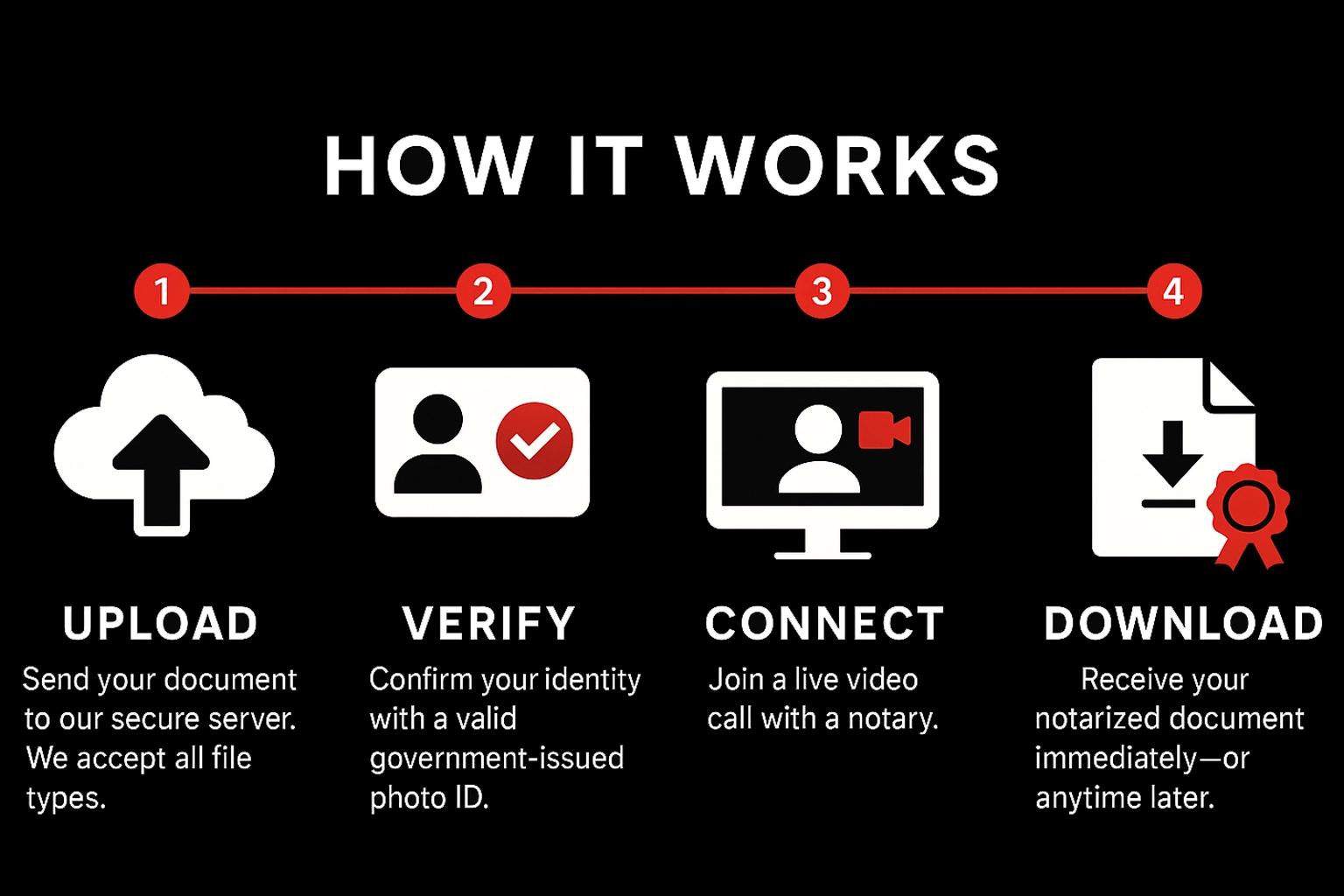
How It Works

Upload

Send your document to our secure server. We accept all file types.

Verify

Confirm your identity with a valid government‑issued photo ID.

Connect

Join a live video call with a notary.

Download

Receive your notarized document immediately—or anytime later.

Pricing & Payment

Standard

$15
Per stamp • Mon–Fri before 5:00 PM EST

After‑Hours / Weekend

$20
Per stamp • Weekdays after 5:00 PM EST & all day Sat/Sun

Payment

Pay during the meeting via Credit Card, Debit Card, Zelle, Cash App, or Venmo. Notarization completes after payment is received.

What You Need

Requirements

  • Stable internet connection
  • Device with camera, microphone, and sound
  • Ability to appear on a live audio‑video call

Accepted IDs (examples)

  • U.S. state‑issued driver’s license or photo ID
  • U.S. passport (book or card)
  • Certificate of U.S. Citizenship / Naturalization
  • Foreign passport
  • Alien Registration Card (with photo)
  • Military ID

Not a complete list. Unsure? Email hello@lookingglassrunners.com.

Ready to notarize?

Have your document signed and notarized within minutes. Getting a document notarized has never been easier.

Notarize now — fast, secure & nationwide Start

Notary Services in Fairmont

Professional online and mobile notary services available 24/7