

Online Notary Guide for Atlanta
Welcome to Looking Glass Runners’ Online Notary Service page for Atlanta. Remote online notarization lets you complete notarizations from anywhere with a camera and internet connection, all while a commissioned notary witnesses the signing over live video. This service is designed to save time and avoid travel, offering secure identity verification and a tamper-evident e-seal on your document. Many recipients accept e-notarized documents in most states, though acceptance can vary by the receiving party. Use this page to learn how remote notarization works and what to expect during your session.
If you live in Atlanta or nearby, our virtual notary option brings convenient after-hours and same-day sessions without leaving home. Sessions typically take just minutes once your documents and ID are ready. You will upload documents, verify identity with a government photo ID, connect by live video with a commissioned notary, and receive an e-notarized file available for immediate download. While many documents are eligible, some document types or recipients may require in-person notarization. We help you confirm eligibility and walk you through each step for a smooth online notarization experience.
Compare Notary Options
Understanding Remote Online Notarization
What Remote Notarization Means
Key Elements of a RON Session
Benefits of Remote Notarization
Fast Sessions in Minutes
Secure ID Checks and Tamper-Evident E-Seal
When In-Person Notarization Is Needed
When Originals or Wet Ink Are Needed
Some documents specifically require wet-ink signatures or original physical handling, which means they must be signed and notarized in person. Real estate closings, certain court filings, or documents that require original physical submission may fall into this category depending on recipient rules. If the receiving party requests an original signed paper document or a specific notarial wording tied to physical papers, a remote session may not be suitable. Always check the recipient’s requirements before scheduling a remote session so you avoid needing a second notarization in person.
When State or Document Exclusions Apply
Laws differ across states about which documents are eligible for remote notarization, and some document types are excluded under certain rules. Government agencies, courts, or specific lenders may have policies that limit acceptance of e-notarized documents. Additionally, if the signer or notary’s state does not permit a particular RON act, an in-person notarization will be necessary. If you are unsure, check both state statutes and the receiving party’s acceptance policy. Our team can help you verify eligibility so you choose the right notarization method for your needs.
When Remote Notarization Is Best
Fast Sessions, Multiple Locations, After Hours
Remote notarization is often the best choice when you need a fast turnaround, when signers are in different locations, or when you need flexibility outside standard office hours. Because sessions are held by live video, signers in Atlanta and elsewhere can join from separate devices without travel time. Many sessions take as little as a few minutes once documents and ID are ready, making online notarization suitable for last-minute needs. If you value speed, convenience, and scheduling flexibility, remote sessions offer a highly practical option for many common documents.
Immediate Download and Clear Audit Trail
One key advantage of online notarization is that you typically receive the e-notarized file immediately after the session, allowing you to send or file it without delay. The platform creates an audit trail documenting identity checks, session timestamps, and notarial actions. This digital record supports transparency and can be helpful if the receiving party asks about the notarization process. While not all recipients treat e-notarized documents identically, the combination of an e-seal and audit log is widely used to establish the integrity of remote notarizations.
Practice Areas
Our Services
Top Searched Keywords
- Atlanta online notary
- remote notary Atlanta
- virtual notary service Atlanta
- e-notary Atlanta
- online notarization Atlanta
- notary by video Atlanta
- remote online notarization Atlanta
- Atlanta RON service
- digital notary Atlanta
Reasons to Consider Online Notarization
Consider remote online notarization when you need quick scheduling, immediate access to a notarized document, or the flexibility to meet after normal business hours. If signers are in different places or you prefer to avoid travel, a RON session makes coordination easier. The electronic e-seal and audit trail offer a documented record of the notarial act, which can be important for transactions where timing and identity confirmation matter. Always check the receiving party’s acceptance policy so the method aligns with their requirements.
Choose online notarization if you value convenience without sacrificing security. The platform uses live video ID verification and a tamper-evident e-seal to maintain document integrity. This option often fits real estate assignments, business documents, powers of attorney, and many other common forms, subject to eligibility checks. If there is any doubt about acceptance or document type, our support is available to help confirm whether online notarization is appropriate for your specific situation before you proceed.
Common Situations for Remote Notarization
Remote notarization is commonly used when urgency, remote signers, or flexible timing are priorities. People use it for closing documentation, loan paperwork where the lender accepts e-notarized files, powers of attorney when family members are apart, or affidavits that need fast turnaround. It is also helpful for businesses coordinating signatures across locations and for individuals who prefer not to travel. Before booking, confirm that your document and the receiving party permit a remote notarization so the process meets the intended filing or acceptance needs.
Real Estate and Closing Documents
Many real estate transactions can use remote notarization when allowed by the lender and recording jurisdiction. Remote sessions can streamline signings for buyers, sellers, and agents who are not in the same physical location, and they allow for faster distribution of finalized documents. However, local recording offices or title companies may have specific requirements, so check ahead. If wet-ink originals or in-person witnessing are required by the county or lender, an in-person or mobile notary may be necessary instead of a remote session.
Powers of Attorney and Personal Documents
Powers of attorney, healthcare directives, and similar personal documents are often completed remotely when allowed by state rules and recipient acceptance. Because these documents can be urgent and involve people in different places, remote notarization can be a practical solution. Ensure the document’s required notarial act—acknowledgment or jurat—is clear and that the receiving party will accept an e-notarized version. When in doubt, consult the recipient or use our support to confirm that remote notarization will satisfy their requirements.
Business Agreements and Corporate Filings
Businesses frequently use remote notarization for agreements, board resolutions, and filings when authorized by state rules and counterparties. Remote sessions speed up approvals and let signers in different states complete a notarization together without travel. The e-seal and audit record provide a documented chain of events that supports corporate recordkeeping. Still, some corporate or regulatory processes may prefer or require physical originals, so confirm with your legal or filing authority if the e-notarized document will be accepted for your intended purpose.
Frequently Asked Questions
What do I need to start a remote online notarization?
To start a remote online notarization, you will need a device with a camera and microphone, a stable internet connection, and a government-issued photo ID such as a state driver’s license, state ID, or U.S. passport. You’ll also need the document in a supported digital format and an email address so the notarized file can be sent. Our platform walks you through uploading the document and verifying your identity before the live video session with a commissioned notary. Be sure the ID is current and not expired, and that your device camera can clearly capture the ID when prompted. If your state requires additional identity checks, the platform will guide you through any further steps such as knowledge-based authentication. Preparing these items beforehand helps the session proceed quickly and avoids delays during the live notarial act.
How long does a remote notary session take?
Remote notary sessions can be quite fast; once you have your documents and ID ready, many sessions take between five and fifteen minutes to complete. Uploading the document and completing identity verification are the main steps that add time. If everything is prepared, the live video call and the actual notarization are typically quick, and you can download the finalized document immediately after the notary completes the e-seal and notarial wording. Complex situations, such as multi-signer sessions, extended identity checks, or technical interruptions, can lengthen the process. To minimize time, upload clean copies of documents, ensure your ID is visible, and use a reliable internet connection. If multiple signers are involved, coordinate with them in advance so everyone is ready at the scheduled time.
Are remote notarizations legal across state lines?
Remote notarizations are governed by state laws, so whether an online notarization is valid across state lines depends on the states involved and the receiving party’s policies. Many states recognize remote notarizations completed by their commissioned notaries or by notaries in other states under specific rules, while other states may impose limits. Acceptance by the receiving party, such as a bank or court, also affects whether an out-of-state e-notarized document will be accepted. Before proceeding, check the receiving party’s requirements and, if possible, confirm whether they accept remote notarizations from a notary commissioned in another state. Our team can help clarify likely acceptance and recommend whether a remote session is appropriate for your specific transaction to reduce the risk of rejection.
What types of ID are accepted for online notarization?
Accepted forms of identification typically include a current government-issued photo ID such as a state driver’s license, state identification card, or a U.S. passport. The platform may also accept other government-issued IDs depending on state rules. IDs must be valid and not expired, and the notary needs to be able to clearly view the photo and identifying information during the live video session. Additional verification steps, like knowledge-based authentication, may be used depending on the state and platform. If you have concerns about your ID or if it is expired, contact support before your session to discuss options. Some sessions may allow alternative verification methods, but preparation and confirmation in advance help ensure the notary can complete the identity check without disruption.
Can all documents be notarized online?
Not all documents are eligible for remote notarization. Some jurisdictions and recipients require in-person notarization or original wet-ink signatures for certain documents, such as some court filings, probate papers, or other instruments that stipulate physical originals. Additionally, state law may exclude specific document types from remote notarization. It is important to confirm with the recipient and check state rules to determine whether your document can be notarized online. When in doubt, contact the receiving party or our support team to verify eligibility before scheduling a session. We can often advise whether a remote notarization is likely to be accepted or whether you should plan for an in-person or mobile notarization to meet the recipient’s requirements.
How do I receive my notarized document?
After the notary completes the session, you typically receive the e-notarized document as a downloadable file immediately or via email, depending on the platform settings. The notarized file includes the notarial wording and an attached tamper-evident e-seal. You can then download, save, and forward the document as needed. The platform may also store an audit log and session metadata for recordkeeping purposes. If you need multiple copies or want the file sent to another party, check the platform’s sharing options or provide the recipient’s email during the session. If you do not receive the file, contact our support team for assistance and confirmation that the notarial act was completed and the file was distributed properly.
Is my personal information secure during the session?
Yes, reputable remote notary platforms use encryption and secure connections to protect your personal information during the session. Identity verification steps are performed according to applicable state rules and may involve credential analysis, knowledge-based questions, or other checks designed to confirm your identity. The notary keeps an audit log of the session, and the e-seal is applied in a way that helps detect tampering with the final document. While platforms strive to protect privacy and data, it’s also important to use a secure device and avoid public Wi-Fi when possible. Review the platform’s privacy practices if you have specific concerns about data retention or access to session recordings, and contact support to get details on how your information is stored and protected.
What is the difference between an acknowledgment and a jurat?
An acknowledgment is a notarial act where the signer confirms that they willingly signed the document and that the signature is their own. It does not involve swearing to the content of the document. A jurat, on the other hand, is used when the signer swears or affirms that the statements within the document are true, and it typically includes administering an oath before the notary. Jurats are commonly required for affidavits and sworn declarations, while acknowledgments are often used for deeds and powers of attorney. Which act you need depends on the document and the recipient’s requirements. If you are unsure whether your form needs an acknowledgment or a jurat, check with the receiving party or consult with our support team before the session so the notary can perform the correct notarial act during the live video meeting.
Do recipients always accept e-notarized documents?
Recipients do not always accept e-notarized documents, as acceptance depends on the recipient’s policies and applicable state rules. While many institutions accept RON documents, others may prefer or require wet-ink originals or have specific formatting requirements. The recording, e-seal, and audit log strengthen the integrity of an e-notarized document, but recipient acceptance is ultimately up to that organization’s rules or the jurisdiction where the document will be used. To avoid issues, verify acceptance with the receiving party before completing your remote notarization. If they require an in-person notarization or original paper, we can help you arrange an alternate solution so your document meets the recipient’s standards.
How can I prepare to avoid delays during my session?
To avoid delays during your remote notarization, prepare your government-issued photo ID and ensure it is current and legible on camera. Have the document in a supported digital format ready to upload and confirm whether the document needs an acknowledgment or a jurat. Choose a quiet, well-lit location and a stable internet connection, and close other apps that may interrupt your video or audio during the session. Coordinate with other signers ahead of time if multiple people must participate, and confirm the receiving party’s acceptance policy to prevent the need for a second notarization. Preparing these items and checking requirements in advance helps ensure a smooth, fast session with immediate access to the notarized file.
Online Notary in Minutes
Upload your document, verify your ID, and meet a commissioned notary on live video. Download your notarized file right away.
Why Choose Looking Glass Runners
Fast, affordable, and flexible—built for modern life. We accept all file types and support both eSign and hand-signed scans.
Speed
Most notarizations complete in 5–15 minutes.
Availability
On‑demand, after‑hours, and weekends.
Affordability
Transparent pricing from $15 per stamp.
Nationwide
States recognize and accept out‑of‑state notarizations.
Security
Live video identity checks + tamper‑evident e‑seal.
Convenience
No travel or printing required—eSign supported.
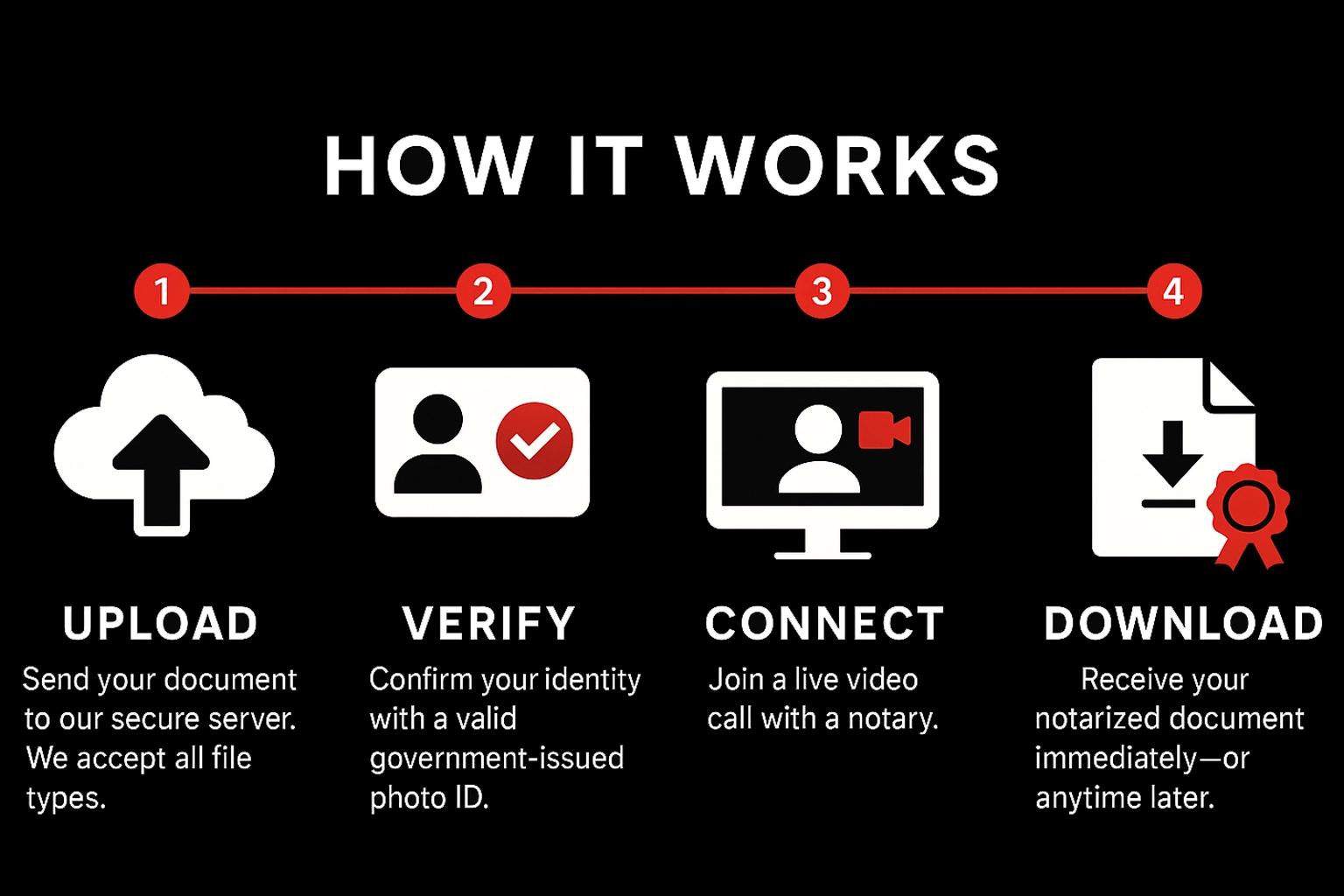
How It Works
Upload
Send your document to our secure server. We accept all file types.
Verify
Confirm your identity with a valid government‑issued photo ID.
Connect
Join a live video call with a notary.
Download
Receive your notarized document immediately—or anytime later.
Pricing & Payment
Standard
After‑Hours / Weekend
Payment
Pay during the meeting via Credit Card, Debit Card, Zelle, Cash App, or Venmo. Notarization completes after payment is received.
What You Need
Requirements
- Stable internet connection
- Device with camera, microphone, and sound
- Ability to appear on a live audio‑video call
Accepted IDs (examples)
- U.S. state‑issued driver’s license or photo ID
- U.S. passport (book or card)
- Certificate of U.S. Citizenship / Naturalization
- Foreign passport
- Alien Registration Card (with photo)
- Military ID
Not a complete list. Unsure? Email hello@lookingglassrunners.com.
Legality & Presence
Is online notarization legal?
Yes. In the U.S., states have laws that recognize and accept out‑of‑state notarizations.
Does the signer need to be present?
Yes. The signer must appear live on video so the notary can verify identity, confirm willingness, and ensure understanding.
When to Sign & Signature Options
Acknowledgment
You may sign beforehand. The notary verifies your identity and that you acknowledged signing willingly.
Jurat
Sign during the session. The notary witnesses your signature and administers an oath/affirmation.
Electronic vs Physical Signature
Electronic (eSign): Upload unsigned docs, sign during the call, receive an e‑notarized file by email.
Physical (Scanned): Sign by hand on the call, then upload for final notarization.
Ready to notarize?
Have your document signed and notarized within minutes. Getting a document notarized has never been easier.